クレジットは5 / 10 / 50 / 100単位で購入できます。Credits are sold in 5, 10, 50, and 100 credit packs.
VoxEdit to Roblox ConverterVoxEdit to Roblox Converter
VoxEditで作ったアセットを、Robloxで使いやすい形へ Turn VoxEdit assets into Roblox-ready outputs
VE2RBX は、VoxEdit のプロジェクトフォルダを読み取り、Roblox Studio に持ち込みやすい FBX / OBJ / GLB などの成果物へ変換します。 色ずれ、テクスチャ崩れ、細かすぎるパーツ分割、ピボットずれなど、Roblox側で起きやすい手直しを減らすことを目的にしています。 Full MVP では、必要な分だけクレジットを購入して変換できます。サブスクリプションやプラン差は置かず、まずは 1ドル = 1クレジットのシンプルな形で運用します。 VE2RBX reads VoxEdit project data and converts it into outputs that are easier to import and clean up in Roblox Studio. It is designed to reduce common issues such as texture shifts, broken colors, excessive mesh fragments, and misplaced pivots. In Full MVP, you buy only the credits you need. There are no subscription tiers: 1 USD equals 1 credit.
通常変換: 1クレジットStandard conversion: 1 credit
アニメーション付き: 2クレジットWith animation: 2 credits
1ジョブ最大10MBMax upload: 10MB per job
ダウンロードリンクは1時間有効Download links: 1h
Standard export
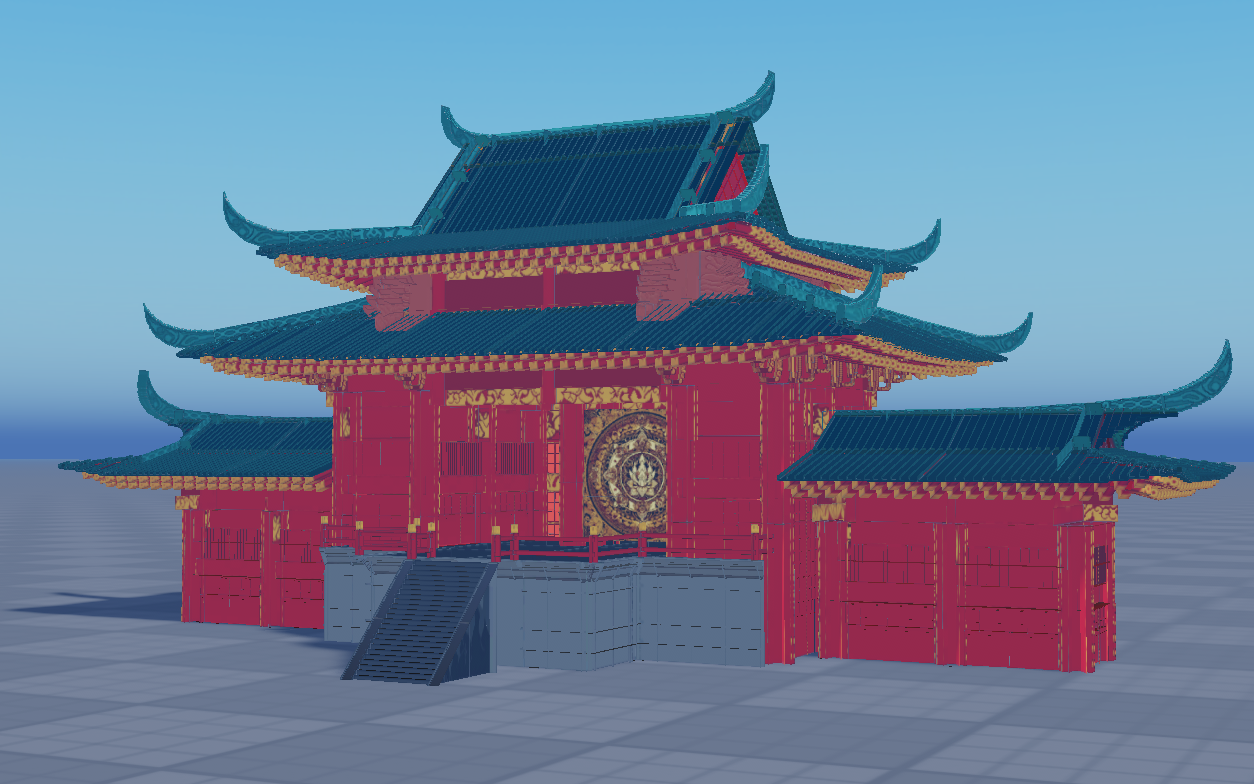
VoxEdit export -> Roblox
色ずれや細かいパーツ分割で手直しが増えますColor shifts or fragmented parts can add cleanup
VE2RBX export
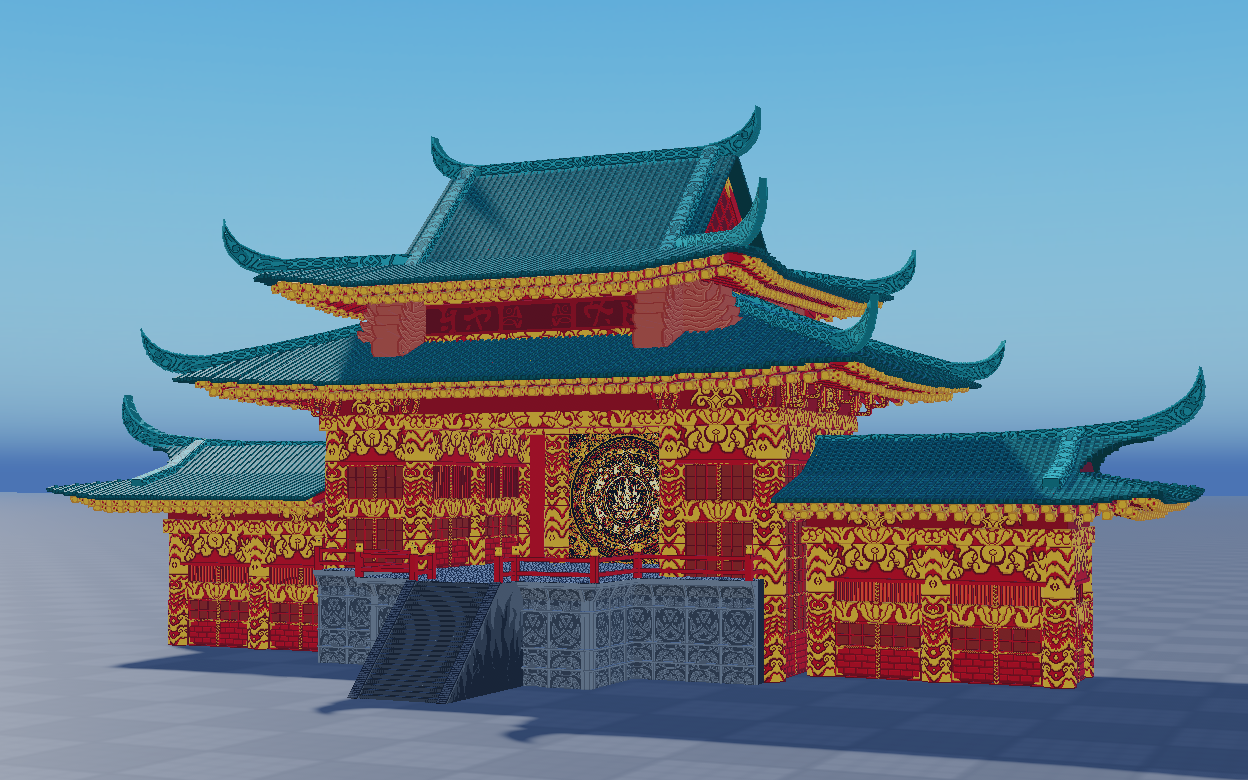
VoxEdit project -> VE2RBX -> Roblox
元プロジェクト情報から再構成しますRebuilds from VoxEdit project data
UploadUpload
VoxEditのプロジェクトZIPまたはフォルダをアップロードUpload a VoxEdit project ZIP or folder
変換状況Current conversion
まだ変換はありません
- アップロード中Uploading
- 待機中Queued
- 変換中Running
- ダウンロード可能Ready
変換を開始すると、進行状況とダウンロードリンクがここに表示されます。
Once you start a conversion, progress and download links will appear here.
成功した変換だけクレジット消費Only successful conversions consume credits
アニメーション付き変換は2クレジットAnimation conversion costs 2 credits
クレジット購入はPricingからBuy credits from Pricing
Full MVPの使い方Full MVP usage
Full MVPはクレジット購入型で始めますFull MVP starts with credit packs
5 / 10 / 50 / 100クレジットを購入し、必要な回数だけ変換できます。初期Fullでは複雑な月額プランやプラン別キューを持たず、ベータで固めた変換導線をそのまま正式運用へ近づけます。 Buy 5, 10, 50, or 100 credits and use them only when you need conversions. Full MVP keeps the proven beta conversion flow and avoids subscription tiers or plan-based queues.
1回のアップロードは最大10MBまでです。Each upload can be up to 10MB.
初期Fullでは同時変換を増やさず、キュー運用を単純に保ちます。Full MVP keeps queue behavior simple before adding more concurrency.
ダウンロードリンクは1時間有効です。Download links are available for 1 hour.
ComparisonComparison
同じVoxEditアセットでも、Robloxでの見え方は変わりますThe same VoxEdit asset can look and behave differently in Roblox
標準export経由とVE2RBX経由の違いを比較できます。色、テクスチャ、パーツ構成、Roblox Studio上での扱いやすさを確認してから変換を試せます。 Compare the standard export route with the VE2RBX route before spending credits. Check texture quality, colors, part structure, and how the asset appears in Roblox Studio.
Standard export
VoxEdit -> GLTF -> Roblox Studio
VE2RBX export
VoxEdit -> VE2RBX -> Roblox Studio
SupportSupport
変換できない場合も、サポートに送れますContact support if a conversion fails
変換に失敗した場合や、Roblox Studioで見た目が崩れた場合は、ジョブIDと状況を添えてお問い合わせください。失敗ジョブではクレジットは消費されません。 If a conversion fails or the result looks wrong in Roblox Studio, contact support with your job ID and details. Only successful conversions consume credits.